 Credit: Lucas Gouveia / Android Police
 By
Ben Khalesi
Published 13 hours ago
By
Ben Khalesi
Published 13 hours ago
Ben Khalesi covers the intersection of artificial intelligence and everyday tech at Android Police. With a background in AI and data science, he enjoys making technical topics approachable for those who don’t live and breathe code. Ben is currently based in Sydney and has four years of professional writing experience across technology and digital industries. Outside work, he enjoys traveling, bouldering, and playing the latest AAA games.
Sign in to your Android Police account Add Us On Summary Generate a summary of this story follow Follow followed Followed Like Like Thread Log in Here is a fact-based summary of the story contents: Try something different: Show me the facts Explain it like I’m 5 Give me a lighthearted recapGoogle Docs has become the go-to tool for collaborative writing because it is simple, easy to access, and syncs reliably in the cloud.
But when your documents get complicated, or you’re handling serious academic or admin tasks, that simple interface can start to feel limiting.
To fix this, Google opened its platform to third-party developers using Google Apps Script and the Workspace Marketplace.
With the right add-ons and extensions, you can get the platform to handle a lot more workflows.
Here are eight extensions and how they can help you get the most out of Google Docs for serious work.
 Related
I thought Google Docs was enough until I paired it with Gemini
Related
I thought Google Docs was enough until I paired it with Gemini
The secret weapon for flawless documents
Posts 4 By Parth ShahClean up formatting without breaking your document with Text Cleaner
(Workspace add-on)
 Credit: Google Workspace Marketplace
If you’ve ever copied text from an email, PDF, or website into Google Docs, you know the pain. Random spacing, weird line breaks, and links you didn’t ask for suddenly take over your document.
Google Docs has a formatting tool, and it helps, but it rarely catches everything. You’re still left fixing stray spacing and links by hand.
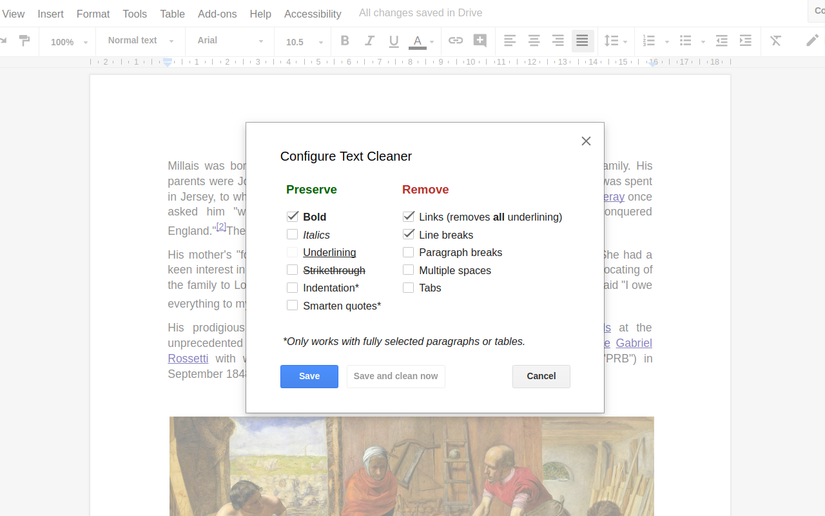
Text Cleaner is a free tool that fixes these formatting headaches and lets you choose what to remove and what to keep.
You can get rid of extra spaces and hyperlinks and still keep key styling like bold and italics, so your headings, paragraphs, and lists stay neat and consistent.
Doc Tools by Ablebits is a formatting sidebar for long and complex documents
(Workspace add-on)
 Credit: Google Workspace Marketplace
In Google Docs, formatting tools are spread across multiple menus, which means you often have to click through several options just to do something simple.
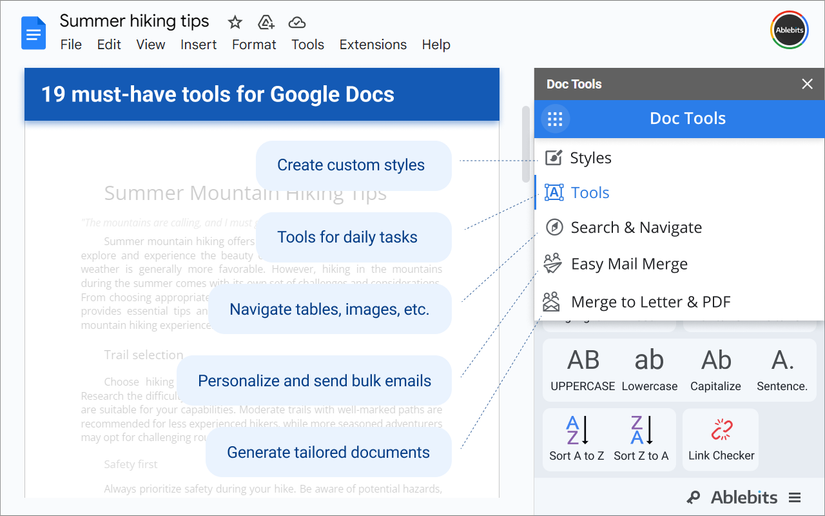
Doc Tools by Ablebits fixes this by bringing those small utilities together in a sidebar for a more convenient workflow.
You can sort text by case, convert numbers between digits and words (like 10 to Ten and vice versa), and much more.
It comes with 20 preset styles and gives you the freedom to create and modify your own styles.
This add-on uses an advanced navigation and search system to pull all your headings, bookmarks, links, tables, and images into one central sidebar, making it easy to move through long documents and find every match for a search term.
The free version is pretty generous. You get full access to the formatting sidebar, navigation pane, and styling tools for free.
If you want the Mail Merge, you’ll need to go for the Paid subscription through Ablebits. It costs $30 a year or a one-time $100 purchase to remove daily limits and unlock premium templates.
Build reusable document templates with Doc Variables
(Workspace add-on)
 Credit: Google Workspace Marketplace
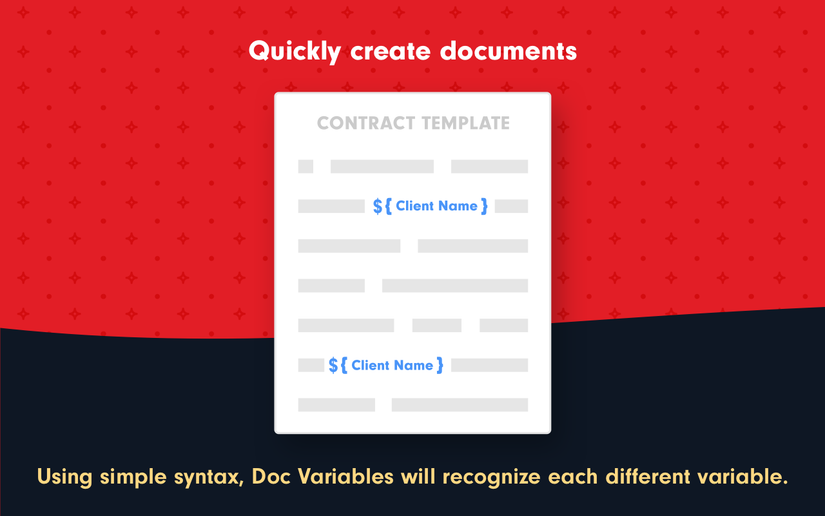
Doc Variables makes it easy to build reusable templates across Docs, Sheets, and Slides by letting you place variables throughout your document. These variables can appear in titles, headers, footers, or body text.
When the add-on runs, it automatically generates a form for those variables, so users can fill it in and create the final document right away.
If you often create documents like contracts, invoices, proposals, NDAs, or monthly reports, this tool can speed up the process.
The Free plan is a nice way to get started, letting you use basic features but with a limit of 20 document generations.
If you plan to use it regularly, the Individual plan ($5 a month or $50 a year) is probably better. It removes those limits and adds cool extras like merging data from Google Sheets.
Paperpile is a reference management tool in Google Docs
(Workspace add-on)
 Credit: Google Workspace Marketplace
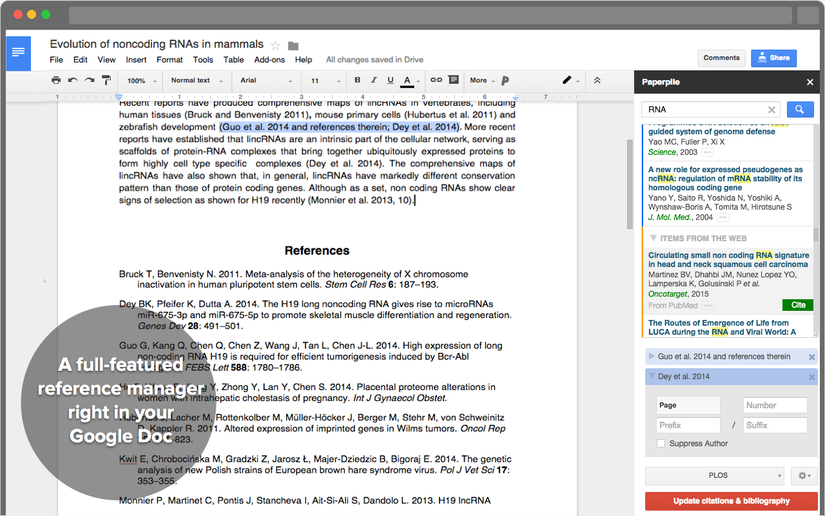
Paperpile brings full reference management to Google Docs. It automatically formats your bibliography to meet different journal style guidelines, such as APA, MLA, and Chicago.
Multiple authors can edit the document and citations together in real time.
Paperpile also plays well with other tools, letting you search your reference library or online databases while you write.
It automatically looks up PubMed IDs and DOIs and lets you export documents and references in formats like RIS, BibTeX, and EndNote.
The mobile apps and Google Docs plugin are free.
Find the right word with OneLook Thesaurus
(Workspace add-on)
 Credit: Google Workspace Marketplace
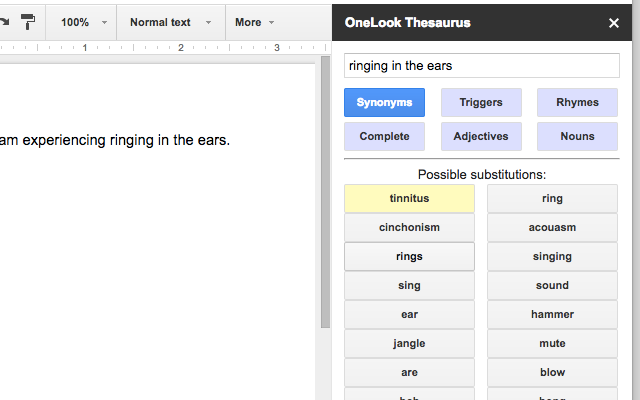
OneLook Thesaurus is a free search tool that helps you explore word meanings and connections.
If you ever get stuck trying to remember a word but know the idea behind it, OneLook lets you search by meaning.
For example, typing “fear of spiders” brings up “arachnophobia,” and “smell of rain on dry earth” gives you “petrichor.”
It’s handy for finding exactly the right word based on what you’re thinking.
The Adjectives Mode shows you the adjectives people use to describe a noun, helping you pick more precise and powerful words.
Nouns Mode works the other way, showing nouns that match an adjective you search for.
Complete gives you popular word and phrase suggestions based on what you’ve started typing, and Rhymes makes it easy to find rhyming words when you’re writing headlines, poetry, or lyrics.
Mermaid and Code Blocks help you write technical documents
(Workspace add-on)
 Credit: Google Workspace Marketplace
 Credit: Google Workspace MarketplaceClose
These are niche tools, but they have made such a difference in my work that I felt it deserved a mention here to help out my fellow programmers.
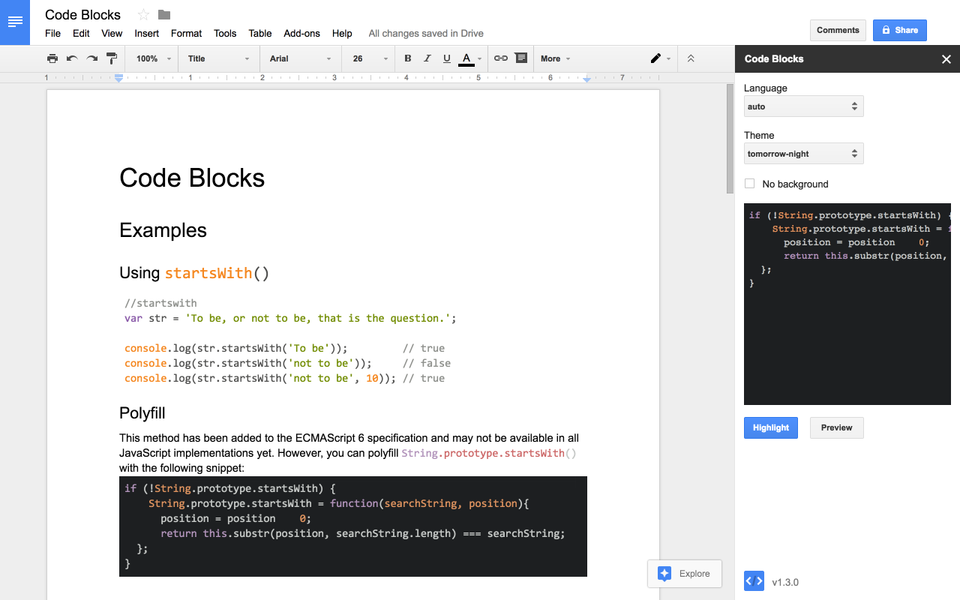
First is Code Blocks. It applies syntax highlighting to code snippets. It detects the language on its own and lets you preview the changes, so your code looks easy to read.
If you’re tired of manually formatting code or relying on screenshots that look unprofessional, this is the answer.
It supports both inline and block formatting, giving you options to style your code. Just remember, it formats code after you finish typing, so it doesn’t highlight syntax as you write.
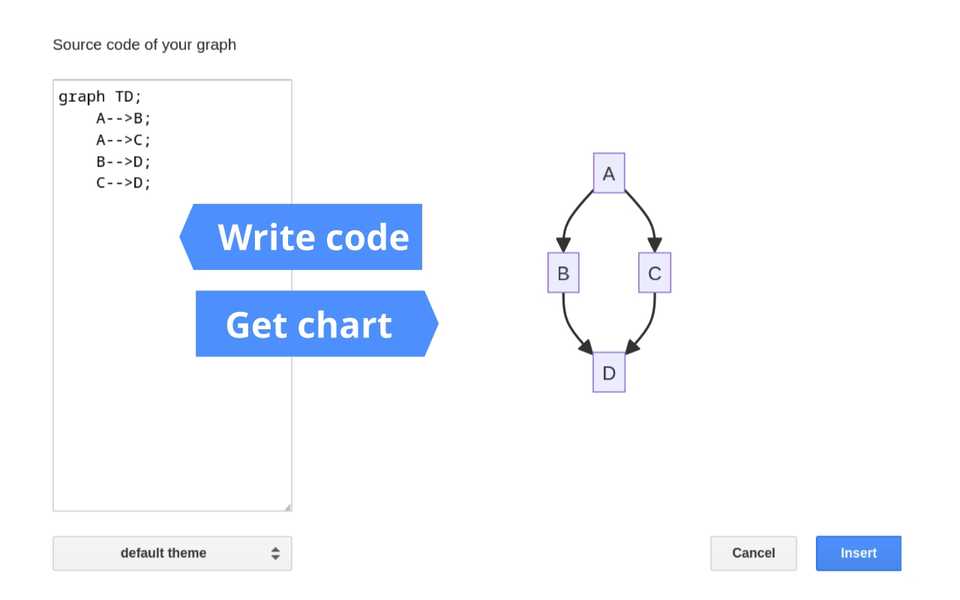
Up next is Mermaid. You can generate diagrams, flowcharts, pie charts, and more. The images go into your document, but the source code stays attached.
You can click to edit the code, and the image updates automatically. You don’t need to delete and re-upload screenshots.
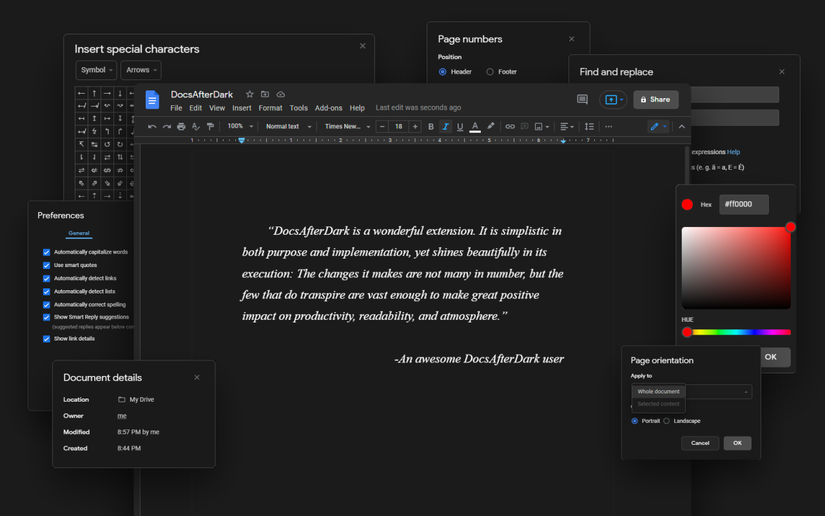
Night-friendly Google Docs with DocsAfterDark
(Chrome extension)
 Credit: Chrome Web Store
While the Google Docs mobile app has a native dark mode, the web version is stubbornly bright, which can be a nightmare during late-night writing sessions.
DocsAfterDark solves this by applying a customizable dark theme to the interface.
Unlike basic color inverters that turn images into X-ray negatives, its Smart Invert feature keeps your images and diagrams looking normal while darkening the text and background.
I’d recommend it to anyone who spends hours reading or editing long documents.
Professional Google Docs writing with Grammarly
(Chrome extension)
 Credit: Chrome Web Store
Google Docs has a native spelling and grammar check that captures obvious typos, but it often misses the nuance required for professional writing. Grammarly fills this gap.
It scans for clarity, engagement, and delivery, flagging issues like passive voice, wordiness, and uncertain language that standard tools ignore.
The sidebar integration allows you to accept suggestions in bulk or review them individually without breaking your writing flow.
The tool also helps by rewriting sentences for better flow and adjusting the tone for formal, confident, or casual writing. For casual users, the free plan does a great job.
It covers the main grammar, spelling, and punctuation errors and even has a feature to make your writing more concise.
The Pro plan, at $12 a month with annual billing or $30 a month, offers extras like full-sentence rewrites, plagiarism detection, and vocabulary help to avoid repeating yourself.
A better way to work in Google Docs
If you add a few useful add-ons and configure some settings, you’ll see Google Docs in a whole new light.
These simple customizations allow you to work around the platform’s default limitations, adding features that aren’t available out of the box.
This makes Google Docs far more flexible and capable of supporting a wide range of professional workflows.
-
 Applications
 How to copy and paste text between your Android phone and laptop
 Google Illuminate is quietly becoming the best research tool I didn't know I needed
 4 quiet Calendar upgrades that changed how I manage my time

